



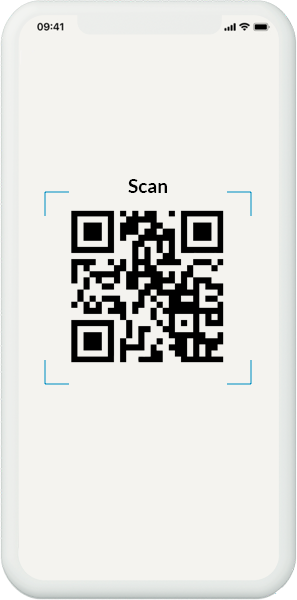
It only takes a few minutes to unlock convenient extra features and control your TV directly from your smartphone.
Follow these simple steps and get ready to enjoy a whole new home experience!
1. Enter the hOn world
The first step is to create your digital space:
- Download the app: Search for “hOn” on the App Store or Google Play
- Create your profile: Sign up in seconds! For the fastest experience, we recommend using direct login with Google, Apple, or Facebook.
2. Preliminary steps: get your Tv ready
- Turn on the TV and make sure it is connected to the internet
- Open the “hOn app” section on your TV and follow the instructions displayed on the screen

3. Connect your TV to the hOn app
Open the hOn app on your smartphone while staying close to the TV:
Add device
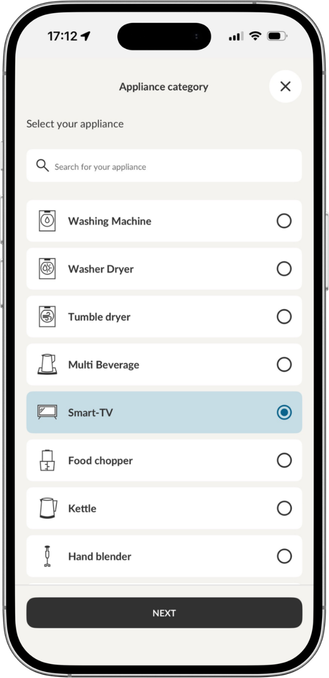
Tap the “+” icon in the top-right corner and select “TV” from the list.
Follow the steps:
The app will guide you through a setup tailored to your model:
- Permissions and Geolocation: You will be asked to enable location (needed to detect your Wi-Fi network) and Bluetooth®, which is required for pairing the app with the product.
- Bluetooth® Device search: The app will identify nearby Bluetooth® devices. Select the TV, confirm and wait a few seconds: you’ll see a message on screen once pairing is complete.
Add Purchase date
Once pairing is complete, enter the purchase date to help manage your warranty.
Finally check
Return to the Home screen to check that your TV has been successfully added.
NOTE: To control your smart TV through the app, you need to turn it ON using the remote control.
🛠️ Something not working? No problem!
If the setup doesn’t work on the first try, here are some quick fixes:
- Restart the app: Close and reopen the hOn app—this is often enough to make the device appear.
- Try again from scratch: The second attempt is often successful! If needed, unplug the appliance for a few minutes before repeating the steps.
- Check your profiles:
- If you have already paired the appliance, make sure you are using the same account or recover your credentials.
- If the product was linked to an account you no longer use, ensure it is removed from the old profile before proceeding with a new one.
🆘 We’re here for you
Still have questions or need help? Support is just a click away:
- WhatsApp: Contact us directly through the dedicated channel available in the app.
- Email: Send us a request via the support form in the Help section.
That’s all there is to it – now all you have to do is connect your smart TV to the hOn app.
